Blog

HiQ offers a wide range of Atlassian services and is a successful Atlassian Platinum Solution Partner.

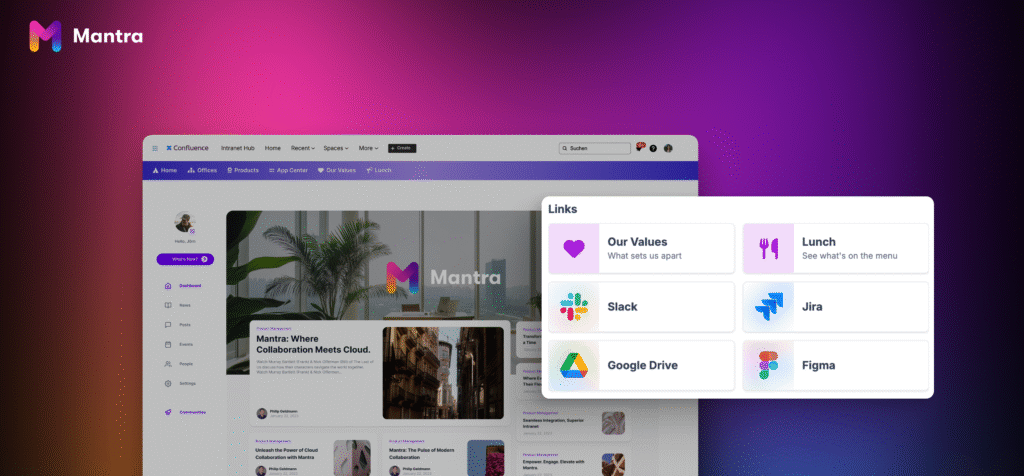
Mantra – your intranet solution for Confluence

Why social intranets are the key to better workplace collaboration

A workplace in transition

Just as the world of work is changing, so is collaboration in the workplace. Remote work, artificial intelligence, digital tools – many things that are now an integral part of your everyday working life were just visions of the future a few years ago. Despite attempts by some companies to bring their employees back into the office, over 23% of all employees in Germany were still regularly working from home in 2023, according to the German Federal Statistical Office.

On the one hand, these developments have many benefits for you as an employee: less time spent commuting, more flexibility and a better work-life balance. At the same time, changing working practices create new hurdles – especially when it comes to teamwork. We will now take a closer look at these obstacles.
Barriers that prevent effective collaboration

In many companies, teams no longer work in just one place, but are spread out — sometimes all over the world. This means for you: You work in a team not only with colleagues on site or in your home office, but often also with people in other cities, countries or time zones. This makes daily communication much more difficult.

Of course, there are now a variety of digital tools for collaboration. But even this can quickly become a challenge – namely when these tools are not coordinated with each other or entire teams and departments rely on their own preferred solutions. The result: agreements become unclear, goals are difficult to achieve and there is no central point of contact to provide information in a structured way. Gaps in knowledge emerge and you spend a lot of time searching for the right information or contact persons.

But your day-to-day work doesn’t have to be this chaotic. With a modern social intranet collaboration in your team can be organized effectively – structured, transparent and accessible for everyone.

Social intranets – ready for the future

When it comes to intranets, many people still think of outdated information systems with boring texts and bulky navigation. But modern social intranets are much more than that: they bring teams together, simplify communication and workflows – and increase your productivity at the same time.

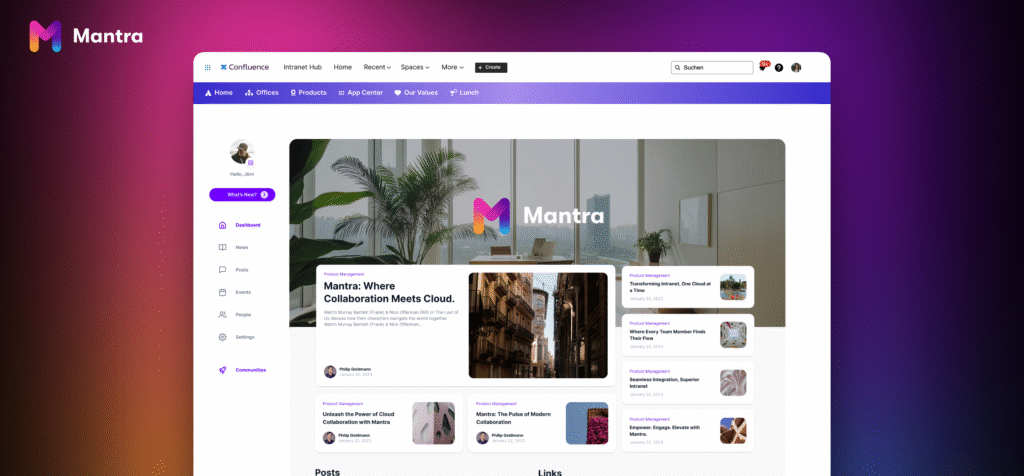
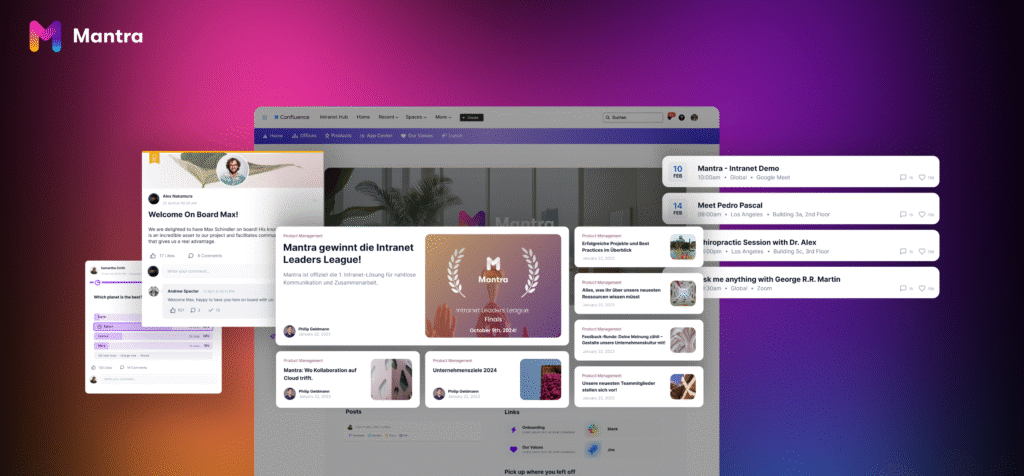
A social intranet such as Mantra for Confluence becomes a central hub where you can get in touch with colleagues, access informations and get involved. You receive all the news and updates that are relevant to you in one place. You can participate directly via discussion formats, surveys or comments, post your own entries and share successes with others.

The integrated employee directory helps you to find the right contact person for a topic at any time – and to identify the right experts for your next project. Information and knowledge are stored in a structured way and can be found at any time. This gives you access exactly when you need it – no matter where you are working.

Mantra – your social intranet for Confluence

Modern communication needs a cutting-edge user experience – intuitive, visual and interactive. Mantra is therefore based on the interfaces and mechanisms that you are already familiar with from social networks: clear structures, visual storytelling, simple participation.

Instead of dry intranet pages, Mantra offers a vibrant, attractively designed environment that makes information easily accessible and actively involves employees. The foundation remains Confluence – supplemented by exactly those functions that noticeably improve your day-to-day work.

Want to improve the visual design of all your Confluence pages? Then try using Aura macros to format your content. Aura also works perfectly with Mantra. Thanks to the following advantages, you can take off with your Mantra Social Internet:

1. Fully integrated into Confluence – the beating heart of the company
Mantra integrates seamlessly into existing Confluence instances and brings together everything you need for your day-to-day work: from the knowledge platform and project documentation to the social intranet. You and your team have access to all relevant functions with just one log-in. The mantra dashboard becomes your new start page, where you always have all the information at your fingertips. This makes Confluence more attractive again and a real focal point for your company.

2. Customizable dashboards – relevance instead of information overload
Every team works differently – and Mantra takes this into account. Individually configurable dashboards provide everyone with exactly the content that is relevant to them: the latest news, project progress, team updates or upcoming events. This reduces search times and focuses attention on the essentials.

3. Organized knowledge management – storing and sharing knowledge reliably
With Mantra, Confluence becomes your company’s knowledge center. Content can be logically structured, easily searched and collaboratively edited. This means that no valuable knowledge is lost – and new colleagues can find their way around more quickly.

4. Real participation – through news, events and surveys
Engagement is not created by information alone, but through interaction. Integrated news formats, event pages, feedback functions and surveys bring communication to life – and all employees can play an active role. This strengthens team spirit, boosts identification with the company and improves the feedback culture.

5. Integration of external content and tools – everything in one place
Whether internal systems, external services or tools such as Jira and Trello – Mantra links them directly into the intranet. Dashboards, reports and surveys can be easily integrated. This creates a central platform with a holistic view of your company’s working environment.

6. Consistent design and corporate branding – the right look and feel
Thanks to extensive customization options, Mantra fully reflects your corporate design: from the logo to the color scheme and typography to the terminology. This strengthens identification with the platform and increases employee acceptance.

7. Communities, social posts and celebrating successes – connections that matter
Mantra also gives you the opportunity to get in touch with colleagues from different company locations and exchange ideas. You can write posts, exchange ideas in a community and thanks to the birthday and anniversary calendar, you won’t miss any important dates. Successes can also be shared with others and receive the attention they deserve. All in all, Mantra helps to bring your team together on a more personal level.

Conclusion: collaboration needs structure, visibility and participation

In a business world that is increasingly networked, decentralized and dynamic, more than just individual tools are needed. You need a central platform that combines communication, transparency and orientation – which is exactly what Mantra does for Confluence.

Regardless of whether you want to connect people, make knowledge accessible or promote participation: With Mantra, you create a digital environment that really makes collaboration possible – open, structured and visually appealing.

Are you curious? Then discover how Mantra can take your teamwork to the next level – we look forward to hearing from you!

Contact

Region

Schriftzug „HiQ“ in schwarzer, handschriftlicher Typografie mit langem Unterstrich steht zentriert auf einfarbig rosafarbenem Hintergrund.

You want to know more? Let’s get in touch!

Grafik zeigt die Texte „Services“ und „SOFTWARE FIRST“ über einer geschwungenen Linie mit Party-Popper- und Glühbirnen-Icon sowie dem Schriftzug „HiQ“ auf schwarzem Hintergrund.

From Model Year to Always Up-to-Date

How Software Is Redefining the Car’s Lifecycle

But that logic is changing. With the right software architecture, the car can become a platform for continuous improvement – a product that evolves, refines, and optimizes over time, even after it leaves the factory.

This shift requires a new mindset: about products, organizations, and business models.

Decoupling That Changes the Game

At the heart of this change is the decoupling of software from hardware. In traditional vehicle platforms, functions are often tightly integrated with specific ECUs, sensors, and electronics. This makes every component replacement costly in development time and often requires rewriting the same function multiple times.

Being able to develop software independently of the hardware’s product cycle enables a shift from sequential to continuous development. This allows for shorter development cycles, greater scalability, and better use of resources.

But the point isn’t always about adding new functions later – it’s about not having to recreate existing ones. A large share of development time today goes into porting existing functionality to new hardware, often due to discontinued or replaced components. With the right architecture, application logic can be decoupled from the hardware, drastically reducing rework and enabling a more robust development chain. It also allows for more frequent model launches and shorter cycles – challenging the traditional model-year mindset.

Mehrere Autos und ein Lkw fahren auf einer geschwungenen Uferstraße entlang eines Flusses, während im Hintergrund unscharfe Stadtgebäude und Verkehr zu sehen sind.

From Distributed to Centralized Electronics

Traditional vehicle architectures consist of a large number of distributed ECUs, where each control unit manages a specific function. This has led to fragmented systems, complex troubleshooting, and limited reuse.

Modern Software-Defined Vehicle (SDV) architectures are shifting toward centralization – consolidating functions into fewer, more powerful computing units that can manage multiple systems in parallel. This can simplify wiring, reduce physical redundancy, and improve conditions for resource sharing between functions.

However, centralization doesn’t necessarily reduce complexity – it redistributes it, often shifting it from hardware to software and architectural levels. With fewer but more powerful nodes, there’s a growing need for clear architecture for isolation, real-time performance, redundancy, and safety-critical functions. For example, new patterns for partitioning, fallback handling, and quality assurance of software running on shared hardware are required.

The design of zonal architectures and the transition from classic AUTOSAR to, for instance, Adaptive AUTOSAR is crucial in this shift – especially to enable dynamic software deployment and future OTA updates of entire subsystems.

What Does It Take to Get There?

Decoupling is not just a technical detail – it’s a strategic choice that affects the entire development model. A well-designed base software, combined with clearly defined interfaces and a thoughtful component architecture, enables high code reuse across different models and generations.

This requires:

  • A clear software architecture that defines responsibility, dependencies, and isolation between functions
  • CI/CD pipelines that support both vehicle-specific verification requirements and continuous integration
  • Cross-functional teams capable of owning entire functions – from development to in-field operations

Middleware plays a key role here. It acts as a hub between hardware and application, abstracting the complexity of diverse hardware platforms. By managing resources, providing standardized APIs, and enabling virtualization, middleware forms a technical backbone for portability and reuse at a scale previously hard to achieve.

With increased connectivity, OTA updates, and external APIs comes increased responsibility. Cybersecurity and data protection can no longer be added at the end of development – they must be embedded in the architecture from the start.

Safety-critical functions must be isolated, updates signed and validated, and all data handling must comply with strict regulations – including GDPR and industry-specific standards such as UNECE R155 and ISO/SAE 21434. The ability to secure systems over time is key to building both trust and technical resilience.

Organizational Transformation in Practice

Technical transformation must be supported by organizational structures. OEMs that break down function-based silos and create teams with end-to-end responsibility – from idea to OTA update – report improved development speed and product quality.

At the same time, the relationship with suppliers is changing. Instead of linear chains, platform-based collaborations are emerging, where OEMs, Tier 1s, and tech companies co-develop around shared APIs, data models, and lifecycle strategies. This demands new levels of technical leadership and openness across the ecosystem.

The Car of the Future Is Always Current

The strategic business benefits are clear: faster time-to-market, shorter update cycles, and better scalability of innovation across product lines. At the same time, new revenue models emerge through service-based offerings, subscription features, and extended vehicle lifespans.

But with longer vehicle lifespans come new demands. Managing the full software lifecycle – from initial development to support, updates, and decommissioning – becomes a new challenge for the industry.

OEMs need strategies for maintaining compatibility with legacy hardware, handling component obsolescence, and ensuring that even vehicles on the road for ten to fifteen years can still receive critical updates and security patches.

In the end, the value of tomorrow’s vehicle won’t just lie in what’s built into it – but in its ability to continuously improve after delivery.
Data becomes an asset. APIs become business interfaces. The product becomes a platform.

Final Thoughts

The shift to software-defined vehicles is not just about technology – it’s about architecture, systems thinking, and collaboration. To succeed, organizations need the ability to navigate both deep technical complexity and broad business impact.

And it is precisely in this intersection – between system architecture, agile development, and strategic tech capabilities – that strong development partners make all the difference.

Want to know how HiQ can support you on this journey?
Let’s talk – we’d love to share more.

Contact

Region

Schriftzug „HiQ“ in schwarzer, handschriftlicher Typografie mit langem Unterstrich steht zentriert auf einfarbig rosafarbenem Hintergrund.

You want to know more? Let’s get in touch!

HiQ covers every aspect of agile software development: from web applications to microservices, mobile development and IoT.

Digital Accessibility

Everything You Need to Know

Digital accessibility is about ensuring that everyone, including people with disabilities, can use digital products and services without barriers. According to the UN Convention on the Rights of Persons with Disabilities, accessibility is a fundamental human right. Despite this, many digital solutions today are inaccessible, creating obstacles for a significant part of the population.

To change this, starting on June 28, 2025, the European Accessibility Act (EAA) will take effect – meaning many businesses and organizations must meet new accessibility requirements to sell their products and services within the EU. 

What Does EAA Mean – and Who Is Affected? 

The EAA aims to harmonize digital accessibility requirements across the EU and applies to products and services in the following areas: 

  • E-commerce: Online stores and digital marketplaces must be fully accessible to users with disabilities, including support for screen readers, keyboard navigation, and clear interaction elements. 
  • Banking services: Online banking platforms and ATMs must offer accessible interfaces and features such as screen reader support, alternative authentication methods, and high contrast for visually impaired users. 
  • Electronic communication: Services such as email and customer portals must be designed to be usable by everyone, including individuals with motor and cognitive impairments. 
  • E-books: E-book platforms and readers must support alternative text, customizable fonts, and compatibility with text-to-speech programs. 
  • Transportation services: Digital booking systems for public transport, flights, trains, and buses must be accessible to individuals with mobility or cognitive impairments. 
  • Audiovisual media services: TV and streaming services must include support for subtitles, audio descriptions, and sign language interpretation. 

Other categories are also included, such as computers and operating systems, smartphones and other communication devices, as well as calls to the emergency number 112.

Laptop on coffee table

Products and services in these areas must comply with accessibility requirements according to EN 301 549, which is based on the Web Content Accessibility Guidelines (WCAG) 2.1 AA. In some cases, WCAG 2.2 AA may also be relevant. These requirements include:

  • Alternative text for images and media
  • Clear contrast between text and background
  • The ability to navigate and interact using only a keyboard
  • Customizable text sizes and spacing
  • Clear language and structured content

If an organization fails to meet the requirements, it may face legal consequences. These can include fines imposed by national regulatory authorities, a market ban on offering non-compliant products and services within the EU market, and potential legal action from end users who can report accessibility issues and seek improvements or compensation.

Key Requirements – What Must You Do?

To ensure compliance, businesses and organizations should do the following steps:

Conduct a comprehensive accessibility audit to identify gaps in existing digital solutions. Automated tools such as axe DevTools, WAVE, and Lighthouse are useful for detecting technical issues, but they do not capture everything. Complement them with manual reviews and user testing to ensure real accessibility.

Implement measures based on WCAG 2.1 AA – The POUR principles should be followed:

  • Perceivable: Information must be accessible to everyone, regardless of sensory limitations. Example: Alternative text, clear contrast, customizable fonts.
  • Operable: Navigation and interaction must work with assistive technologies. Example: Keyboard navigation, predictable interactions.
  • Understandable: Information must be easy to read and use. Example: Plain language, consistent design
  • Robust: Content must be compatible with different technical solutions, including screen readers and AI-based assistants.

Train employees in digital accessibility. This means to ensure that designers, developers, and content creators have the necessary knowledge to create accessible content.

Ensure that subcontractors comply with the rules. When procuring services, accessibility requirements must be included in contracts.

Don’t skip to document and report. Organizations must establish routines to meet the requirements and conduct regular audits. Accessibility statements should be published on websites and updated regularly.

An inclusive digital experience isn’t just about legal compliance. It can increase business value by reaching more users, enhancing customer experience, and strengthening brand credibility.

Common Pitfalls and How to Avoid Them

Implementing digital accessibility can be challenging, and many organizations encounter similar obstacles. Here are the most common pitfalls and how to avoid them.

Understanding the Exact Requirements

Many businesses underestimate the complexity of accessibility requirements and assume that meeting basic WCAG levels is enough. The issue is that guidelines are not always easy to interpret and implement. The solution is to train your team and consult experts. Automated tools provide a good overview, but manual testing with real users is essential to identify practical barriers.

Implementing Changes on Time

One of the biggest mistakes is postponing accessibility work until the deadline approaches, leading to costly last-minute fixes. Plan actions early and prioritize key changes that have the greatest impact on usability. Integrating accessibility into the regular development process reduces the risk of late and expensive adjustments.

Testing with Real Users

Even if a website technically meets WCAG requirements, it does not necessarily mean it functions well for people with disabilities. User testing with individuals who have different needs is crucial for identifying real problems. Without this, you risk creating solutions that look good on paper but are difficult to use in reality.

Training the Entire Organization

Accessibility is not a one-time task for developers – it requires a long-term strategy where everyone in the organization, from designers and content creators to management and support staff, understands its importance. Regular training and clear internal guidelines ensure that knowledge remains up to date and applied at all levels.

Overcoming Internal Resistance and Resource Constraints

A common misconception is that accessibility work is time-consuming and expensive. In reality, inaccessible solutions often become more costly in the long run due to legal risks, customer losses, and negative publicity. Highlight the business benefits and ensure that management views accessibility as an investment rather than a cost.

Getting Started – A Practical Checklist

To succeed with digital accessibility, having a structured plan is crucial. Here is a practical checklist to ensure your organization is ready:

  1. Conduct an accessibility audit: Identify gaps in digital solutions using automated tools and manual testing.
  2. Train developers, designers, and content creators: Ensure they understand WCAG 2.1 AA and best practices for accessibility.
  3. Update websites and digital services: Implement improvements to meet accessibility requirements. Prioritize changes with the most significant impact.
  4. Test with real users: Involve people with different disabilities to ensure practical usability.
  5. Train staff and management: Educate everyone involved, from developers to decision-makers, to secure internal support.
  6. Ensure subcontractors comply: If you use external systems or services, confirm they meet accessibility standards.
  7. Document and report: Establish a long-term accessibility plan and publish an accessibility statement.

By following this checklist, you will create a more inclusive digital environment, minimize legal risks, and strengthen your market competitiveness.

Accessibility improves the user experience for everyone – not just those with disabilities. Businesses that implement accessible solutions often see positive effects on SEO, customer loyalty, and conversion rates. Additionally, legal risks and potential costs for later adaptations are reduced. 

And keep in mind: True accessibility doesn’t happen at the end of a project, it begins with how you build your digital products. HiQ’s agile software development services can help. Start now –July 2025 is just around the corner.

Contact

Region

Schriftzug „HiQ“ in schwarzer, handschriftlicher Typografie mit langem Unterstrich steht zentriert auf einfarbig rosafarbenem Hintergrund.

Wanna talk more with us? Get in touch!

HiQ offers a wide range of Atlassian services and is a successful Atlassian Platinum Solution Partner.

Work Smarter with Rovo Agents

How to Build Your Own AI Assistants: a Step-by-Step Guide for Atlassian Rovo

Just recently, Atlassian announced to make its enterprise AI solution Rovo available to most Atlassian cloud users. Currently, Atlassian is kicking things off with access for Premium and Enterprise users of Jira, Confluence, and Jira Service Management, with Standard is coming soon.

Rovo includes several elements, most notably Rovo Search, which serves as personalized enterprise search, Rovo Chat, an AI teammate that answers questions and offer smart suggestions; and Rovo Agents.

What Are Rovo Agents?

Think of Rovo Agents as out-of-the-box and custom-built specialized AI teammates ready to get to work alongside you . They are built on Atlassian’s platform and go beyond simple automation. They can:

  • Clean up Jira backlogs
  • Draft release notes
  • Organize tasks based on themes
  • Summarize meetings
  • Analyze feedback
  • And much more – fully integrated into your tools and workflows.

You can start with one of 20 pre-built agents provided by Rovo or build your own, tailored to your team’s specific needs. Which brings me to the next point – three practical examples of Rovo Agents. 

Examples of Rovo Agents

How to Build Your Own Rovo Agent 

Creating a custom Rovo Agent is quick and easy, even without technical skills. The process follows a guided, no-code setup within the product: 

  1. Define the Agent’s Purpose | Start by answering three key questions:
  • Role: Who will use the agent? (e.g. product manager)
  • Goal: What should it accomplish? (e.g. clean up a backlog)
  • Use Case: Where will it operate? (e.g. in Jira)

For example: A product manager cleaning up a backlog might create an agent that identifies flags missing details, duplicate tickets, and enforces labeling conventions.

  1. Configure the Agent | Now add the details:
  • Name & Description: Choose a clear name like “Release Manager Agent” and provide a short description.
  • Instructions: Define how the agent should behave using a natural language prompt.
  • Knowledge: Link relevant content sources like Confluence spaces, Google Drive folders, or Jira projects.
  • Actions: Add up to five supported actions – for example, creating pages, moving issues, or analyzing content.
  • Conversation Starters: Help users engage with your agent by adding sample prompts like “What’s the status of open bugs?”

Creating your own Rovo Agents can help in saving time and ensuring quality control.

Rovo Agents offer two particularly valuable benefits for teams. First, they deliver significant time savings by automating repetitive tasks – for example, summarizing meeting transcripts or grouping Jira issues – saving valuable hours every week. Second, they support quality control by consistently applying predefined frameworks, helping teams stay aligned with internal standards and best practices.

Which brings us to the final point of this article: five of leveraging Rovo Agents successfully.

5 Tips for using Rovo Agents

To get the most out of your agents, follow these proven tips: 

  1. Start Small and Specific: Build agents with clearly defined tasks. Expand their abilities gradually as needed.  
  2. Test Before Automating: Chat with the agent manually first. Validate its behavior before plugging it into critical workflows.  
  3. Give Feedback: If the agent makes a mistake, ask why — then refine its instructions. Iteration is key.  
  4. Be Transparent: Each agent has a profile that shows its purpose and capabilities. This builds trust and encourages adoption.  
  5. Use Examples: Sample prompts help the agent perform better. Show it how to respond with relevant, real-world scenarios. 

Conclusion: Small Agents, Big Impact

Rovo Agents make the advantages of an AI assistant tangible for every team – without needing a development background or complex setup. They save time, boost clarity, and help your teams focus on what really matters.

Curious how Rovo Agents fit into your Atlassian ecosystem? Learn more about our full range of Atlassian services.

Want more hands-on tips and live demos? 

Join our free webinar on May 22 to learn how to get the most out of Atlassian Rovo in your daily work. With practical use cases and expert guidance. 

Secure your webinar spot now!

Contact

Region

Ein junger Mann mit blauer Brille lächelt in die Kamera vor einfarbig rosa Hintergrund und trägt ein bordeauxfarbenes T‑Shirt mit Text „JACK&JONES“.

Christian Six

Atlassian Consultant

Wanna talk more about Atlassian with us? Get in touch!